Evening schedule
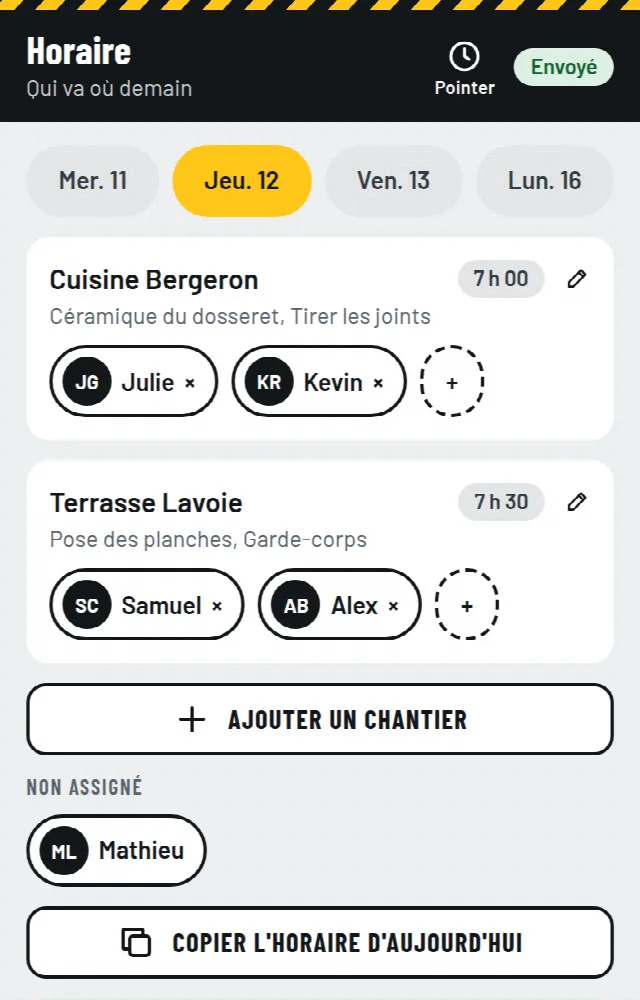
Assign your people in a minute. Each one sees the jobsite, address, key and tasks before bed.
Your crew knows where to go the evening before, punches in with a photo, and sends material requests to one list. You see who is where and what to buy.
Your link is on its way. Open it on your phone. Three short steps remain: your company, your team, your first jobsite.
Nothing after two minutes? Look in your junk folder.
Mon Jobsite is in a pilot with a few contractors. We will write to you as soon as a spot opens.
French first, English when needed
Nothing to install, just a link to open
No password to remember
Location read at punches and photos, never in the background
Every text your crew sends you today has a place in the app.
If your crew can text, they can use it.
Assign your people in a minute. Each one sees the jobsite, address, key and tasks before bed.
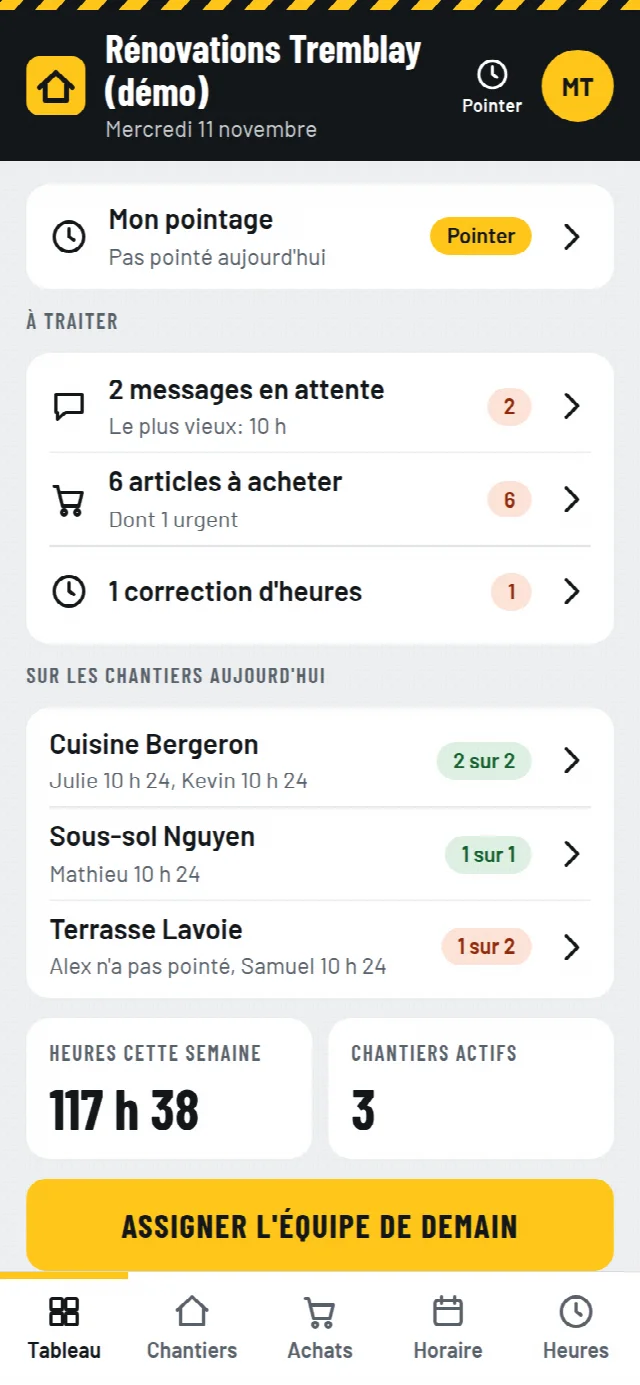
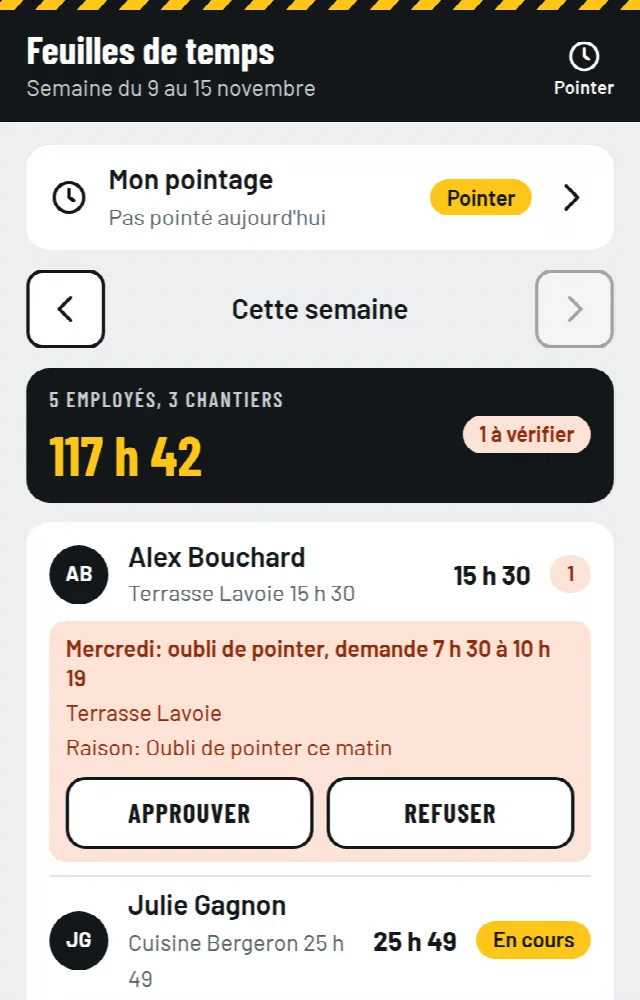
In and out at the jobsite, with photo and location. Timesheets build themselves.
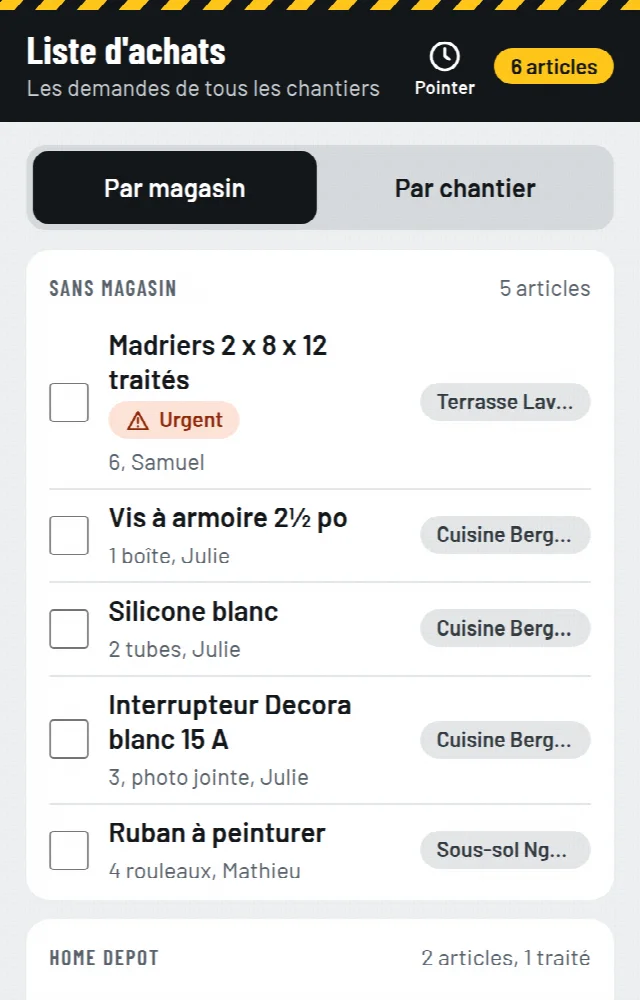
Requests from every jobsite land on one list. You check items off at the store.
Everything is said in the app, not by text. A surprise? One photo, one question, and your answer stays on the record.
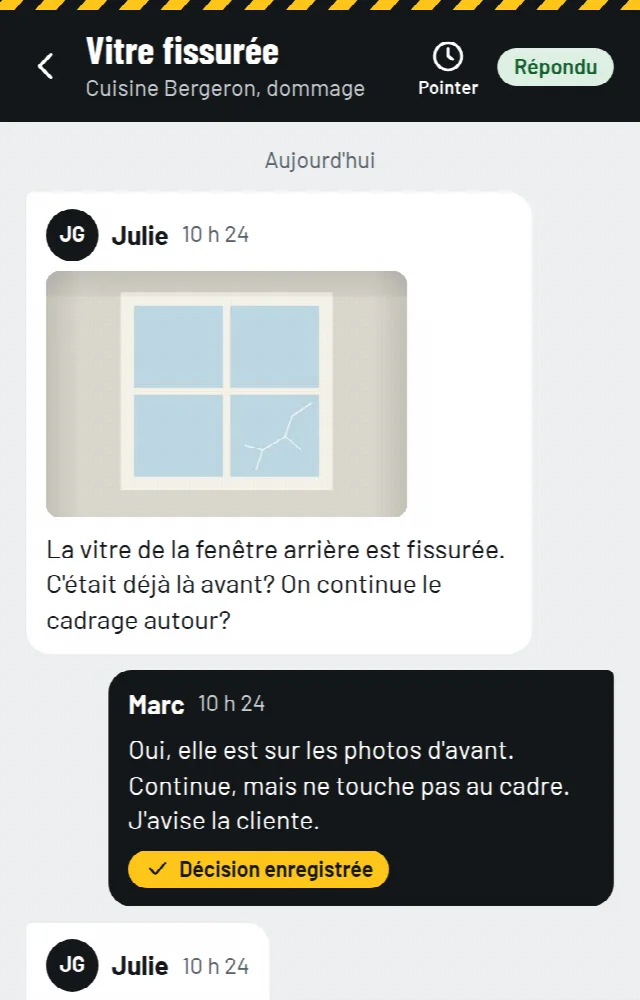
Checklist by project type and client signature, added to the end-of-project report.
Real hours and materials against your price. Your next quote starts from your real numbers.
Real screens from a demo company, shown in French. Each worker can switch the app to English.
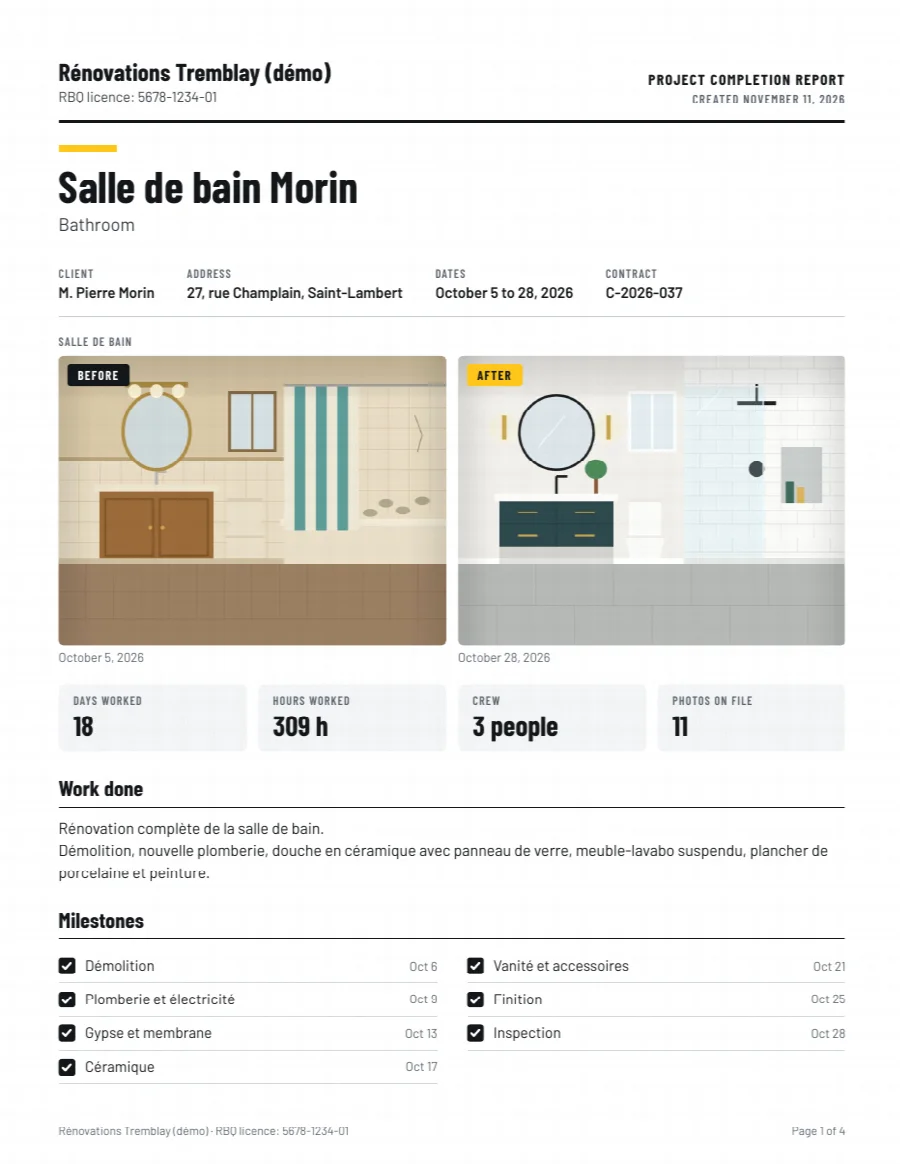
Mon Jobsite puts the before and after photos, the steps, the decisions, the hours and the materials into a PDF under your company name. You choose what shows, in French or English.
4-page PDF, 0.5 MB. Sample from a demo company. The photos are drawings.
No training, no password, nothing to install.
A name and your email. Your link arrives right away.
Type a name, then share the invitation from your phone or with a QR code.
Tomorrow morning everyone knows where to go and punches in on arrival.
Every feature in both plans. Only the crew size changes.
Up to 10 people
49 $ a month
490 $ a year
30-day free trial, no credit card. Free during the pilot. Prices in Canadian dollars, plus taxes. No contract, stop whenever you want.
Mon Jobsite is designed in Quebec for small construction crews in Quebec and Ontario. In French and English, in Canadian dollars, around the way the trade works here.
During the pilot, data is hosted in the United States. Details are in the privacy policy.
Your workers will ask. Here is the answer.
Only when punching and taking photos.
Location is read when someone punches or takes a jobsite photo. Never in the background.
The punch photo shows the jobsite. Nobody has to photograph themselves.
It is not sold or used for advertising. On request, we export it or delete it.
No. You share each person's invitation link and they open it on their phone. The app shows them how to add it to their home screen.
With a notification on their phone, and under Messages. Tomorrow's schedule goes out by itself at the time you choose, and each person gets only their own. Mon Jobsite sends no text messages. On an iPhone, notifications need the app on the home screen, and the app shows how.
No. Location is read only when someone punches or takes a jobsite photo, never in the background. The punch screen says so.
For punching and jobsite photos, yes. With no signal, punches and photos are kept on the phone with the time and the location, and go out by themselves as soon as the signal is back. Material requests and messages still need a connection.
During the pilot the app stays free. After that you pick a plan or you stop. No card is asked, so nothing is charged without your say-so.
No. Mon Jobsite records hours by jobsite and exports them for your payroll, with CCQ jobsites apart if you want. It does not calculate pay.
Receipt scanning comes in a later version. It will work with every store, because it starts from a photo of the receipt.